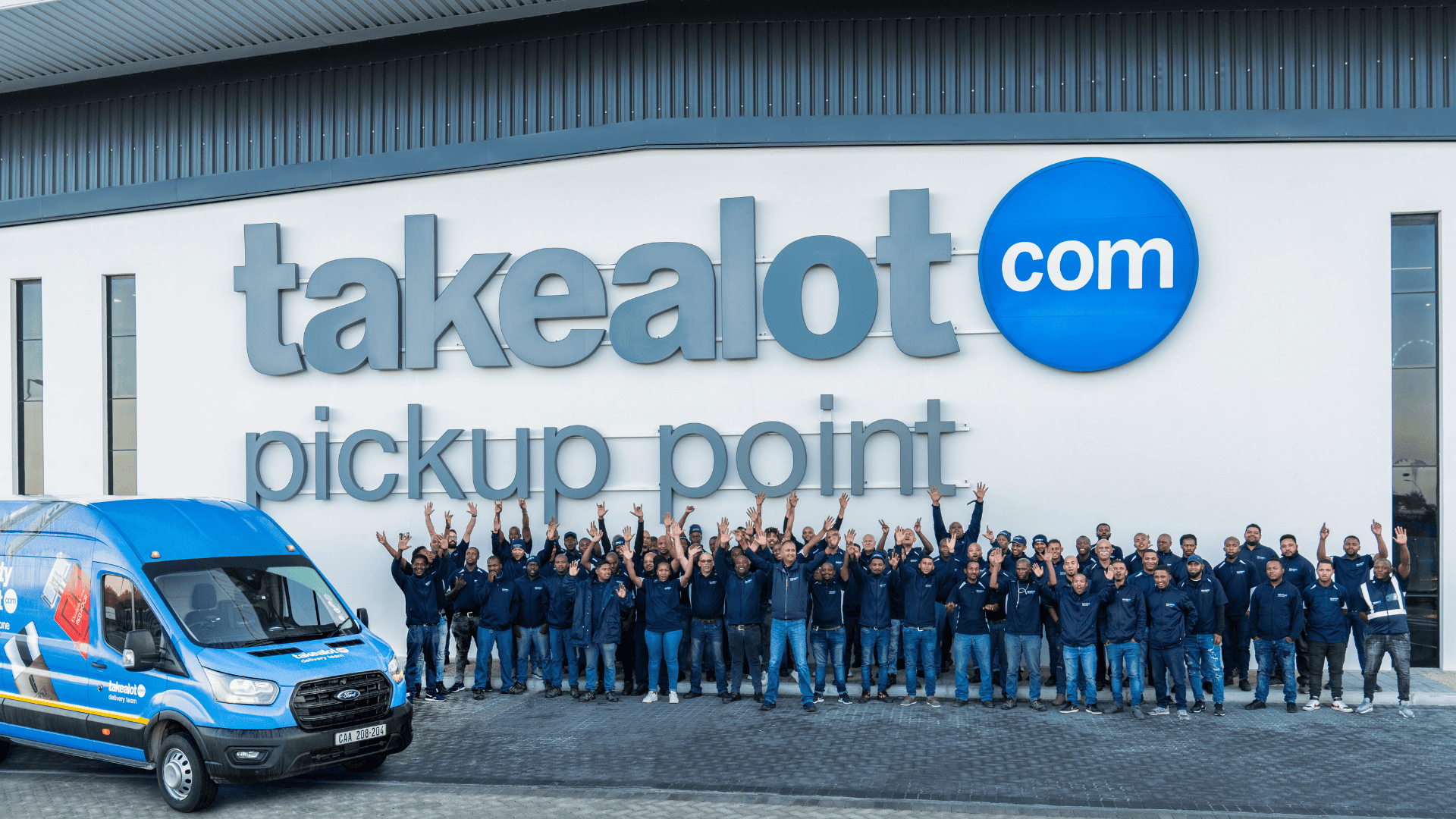
How to Start Selling on Takealot in South Africa (2026) – Complete Seller Guide
Do you want to start selling online in South Africa? Takealot is the place to be.
Takealot is the largest e-commerce platform in South Africa, with over 55% market share . It attracts millions of monthly visitors, making it the ideal platform for both new and experienced sellers . The platform works like South Africa's version of Amazon, handling everything from customer payments to delivery logistics .
Selling on Takealot allows you to reach customers across the country without building your own website or managing complex shipping. You can sell as an individual or a business, with flexible options to fit your needs .
This guide shows you exactly how to start selling on Takealot in South Africa in 2026 — step by step.
What the Job Involves (Understanding Takealot Selling)
Before you start, understand what selling on Takealot actually involves.
Product Sourcing – You need products to sell. Most sellers source from local suppliers, manufacturers, or import from international markets like China. Popular product categories include electronics, home appliances, fashion, beauty products, and baby items .
Listing Management – You create product listings with photos, descriptions, prices, and stock quantities. Takealot provides seller tools to manage your entire catalogue.
Order Fulfillment – When customers buy your products, you must get the items to them. Takealot offers two main fulfillment options:
Direct delivery (Sell on Takealot - Direct) – You handle shipping yourself or use a third-party courier
Fulfilled by Takealot (FBA-style) – You send your stock to Takealot's warehouses, and they handle picking, packing, and delivery
Customer Service – You respond to customer questions and handle returns or complaints. Takealot provides a messaging system to manage communications.
Analytics and Optimization – You track your sales, monitor performance, and adjust pricing or inventory based on data. This is crucial for growing your business.
Marketing and Advertising – You can run sponsored product ads to boost visibility, especially for new products .
Takealot Selling Costs – Complete Breakdown (2026)
Understanding costs is essential before you start selling.
Platform Fees
Monthly Subscription – R460 per month (approximately $25)
The first 4 months are free for new sellers
Fee is charged monthly from month 5 onward
No separate listing fees
Sales Commission – Varies by product category:
Electronics: 5% – 7%
Home and Living: 7% – 8%
Fashion Accessories: 8% – 10%
Outdoor Sports: 6% – 8%
Baby Products: 7% – 9%
Beauty and Personal Care: 8% – 10%
Commission is deducted automatically from each sale before payout .
Payment Processing Fees
Transaction fee: 2% – 3% per order (charged by Takealot)
Payment gateway fee: Approximately 2% – 4% depending on the provider
These fees cover card processing and secure payment handling.
Shipping and Fulfillment Fees
If you handle your own shipping:
You pay courier costs directly
Takealot does not charge additional fulfillment fees
If you use Takealot Fulfillment (warehouse storage):
Storage fee: Free for first 35 days per unit, then approximately R150 per cubic metre per month
Pick and pack fee: Charged per order based on item size and weight
Delivery fee: Calculated based on destination and package dimensions
Other Potential Costs
Refund and return handling: Sellers may be charged a fee when customers return items
Advertising costs: You can promote products with sponsored ads (pay-per-click model)
Currency conversion fees: If you sell internationally and need to convert currency
VAT registration: Required once your annual turnover exceeds R1 million
Key advantage: Unlike many international platforms, Takealot does NOT charge an upfront security deposit or保证金 (security deposit) .
Requirements to Start Selling on Takealot
Business Registration Requirements
Legal Entity – You must have a registered business in South Africa. Takealot requires:
✅ Valid South African business registration (CIPC registration document)
✅ Valid South African tax number (if applicable)
✅ Business bank account in the business name
Individual sellers – Takealot primarily works with registered businesses. Sole proprietors may apply but must provide proof of business registration.
Important note for international sellers: If you want to sell from outside South Africa, you need to work with a registered local partner or use cross-border fulfillment services. Direct international seller registration is restricted .
Identity and Verification Documents
✅ Certified ID copy of business owner/director
✅ Proof of business address (utility bill not older than 3 months)
✅ Banking confirmation letter (not older than 3 months)
✅ Tax clearance certificate (if registered)
Product Requirements
✅ Products must comply with South African safety and labeling laws
✅ Electronics may require ICASA (Independent Communications Authority of South Africa) approval
✅ Certain categories (food, health, beauty) require additional permits
✅ You may not sell prohibited items (weapons, hazardous materials, counterfeit goods)
Seller Experience (Preferred but not always required)
Takealot prefers sellers with proven e-commerce experience, but new sellers can start if they meet basic requirements .
Preferred indicators:
Previous experience selling on other platforms
Existing customer base or brand recognition
Ability to manage inventory and shipping reliably
How to Start Selling on Takealot – Step by Step
Step 1: Prepare Your Business and Documents
Before registering, gather everything you need.
Business checklist:
✅ Register your business with CIPC (if not already registered)
✅ Open a business bank account
✅ Register for income tax with SARS (get your tax number)
✅ Consider registering for VAT if you expect high turnover (R1 million+ per year)
Document checklist:
✅ Company registration certificate (CK1 or CoR)
✅ Director/owner ID document (certified copy)
✅ Proof of business address (municipal bill or lease agreement)
✅ Banking confirmation letter (on bank letterhead)
✅ Tax clearance certificate (pin from SARS eFiling)
Product checklist:
✅ Product list with descriptions and prices
✅ High-quality product photos (white background recommended)
✅ Product barcodes (EAN/UPC)
✅ Any required certifications (ICASA for electronics, etc.)
Step 2: Register on Takealot (Step 2)
The registration process has two paths.
Path 1 – Direct Application (South African businesses):
Visit the official Takealot Seller Portal: https://www.takealot.com/sell-on-takealot
Click "Register as a Seller"
Choose "South African business" from the options
Complete the online application form:
Your business details (registration number, trading name)
Your contact information
Your banking details
Your product categories
Upload your supporting documents
Submit the application
Path 2 – Through Takealot Seller Support (recommended for first-timers):
Email seller@takealot.co.za (Takealot's seller support team)
Introduce your business and products
Request a seller account
Takealot will guide you through the process
Processing time: Applications typically take 5–10 working days. Takealot may request additional information.
⚠️ Important registration tips:
Use a dedicated business email address (not a personal Gmail)
Ensure your registered business name matches your bank account exactly
Keep your contact details current – Takealot may call to verify
If your application is rejected, you can reapply after addressing the issues
Step 3: Set Up Your Seller Account (Step 6)
Once approved, you'll receive login details to the Takealot Seller Portal.
Initial setup steps:
Log into the Seller Portal
Complete your seller profile:
Store name (visible to customers)
Store policies (returns, shipping times)
Bank account for payouts
Tax information
Review the seller agreement and fee schedule
Accept the terms and conditions
First-time settings to configure:
Payment schedule (weekly or monthly payouts)
Shipping methods (direct delivery or Takealot Fulfillment)
Return address
Notification preferences
Step 4: Choose Your Fulfillment Method
This decision affects your costs and customer experience.
Option 1: Direct Delivery (Sell on Takealot - Direct)
You manage your own inventory and shipping.
Pros:
Lower startup costs (no need to send stock to Takealot upfront)
Full control over packaging and branding
Suitable for testing new products
Cons:
You must handle shipping logistics
Customers see longer delivery times
No automatic integration with Takealot's delivery network
Requirements for direct delivery:
You must ship orders within 5 business days of receiving them
You must provide tracking information
You handle customer delivery queries
Option 2: Takealot Fulfillment (Recommended for volume sellers)
Send your stock to Takealot's warehouse, and they handle everything.
Pros:
Faster delivery for customers (1–3 days)
Takealot handles picking, packing, and shipping
Access to Prime-style delivery badges
Reduced admin work
Cons:
Upfront cost to send inventory to the warehouse
Storage fees after 35 days
Less control over packaging
How to start with Takealot Fulfillment:
Generate inbound shipping orders in the Seller Portal
Label your products according to Takealot requirements
Ship your inventory to Takealot's warehouse in Johannesburg
Pay shipping costs to get stock to the warehouse
Once received, products appear live on the site
Tip for beginners: Start with direct delivery to test which products sell. Once you have proven winners, switch them to Takealot Fulfillment for better customer experience.
Step 5: Add Your Products
Now the real work begins — listing your products.
Creating a product listing:
Log into the Seller Portal
Click "Add Product" or "Create Listing"
Enter product details:
Product title (clear, descriptive, include brand and key features)
Product description (full details about the product)
Category and sub-category
Barcode/EAN/UPC
Price (including your profit margin)
Stock quantity
Upload product images (minimum 3–5 high-quality photos)
Set shipping options (size, weight, delivery method)
Save and publish
Product listing best practices:
Titles should include:
Brand name
Product name
Key features (size, color, capacity)
Key benefits
Not keyword stuffing (this is penalized)
Example: "Logitech MK235 Wireless Keyboard and Mouse Combo – Full-size Keyboard, Optical Mouse, 36 Months Battery Life, Plug-and-Play"
Product descriptions should include:
Full specifications (measurements, materials, components)
What's included in the box
How to use the product
Care and maintenance instructions
Warranty information
Images should be:
High resolution (at least 1000x1000 pixels)
White or neutral background
Show the product from multiple angles
Include lifestyle images showing the product in use
No watermarks or promotional text
Pricing strategy:
Research competitors on Takealot
Factor in your costs: product cost + Takealot fees + shipping + profit margin
Aim for 70–100% gross margin to cover advertising and returns
Start with competitive pricing to build reviews, then adjust
Step 6: Set Your Shipping and Delivery
Takealot customers expect fast delivery.
For direct delivery sellers:
Choose a reliable courier partner (The Courier Guy, Dawn Wing, Fastway, etc.)
Set realistic delivery timeframes (5–10 business days)
Provide tracking information for every order
Consider offering free shipping (you absorb the cost) to attract customers
For Takealot Fulfillment sellers:
Stock levels are managed automatically
Orders are picked and shipped within 24 hours
Customers see 1–3 day delivery estimates
Track inventory levels to avoid stockouts
Location tip for sellers:
Sellers based in Gauteng have an advantage because Takealot's main warehouse is in Johannesburg. Shipping stock to the warehouse is cheaper and faster.
If you are in Cape Town or Durban, plan for higher shipping costs to get inventory to the main warehouse.
Step 7: Launch Your Products
Once your listings are live, customers can order.
Launch checklist:
✅ Products are listed and visible on the site
✅ Pricing is competitive
✅ Inventory levels are accurate
✅ Shipping settings are correct
✅ Return address is provided
✅ You are set up to receive order notifications
Monitoring orders:
Check the Seller Portal daily for new orders
Process orders within 24–48 hours
Update tracking information as soon as possible
Communicate with customers if there are delays
Getting your first sales:
Lower prices slightly to attract initial buyers (once you have reviews, you can increase)
Use Takealot's advertising options (sponsored products)
Ask friends and family to purchase and leave honest reviews
Ensure perfect execution on the first few orders – positive reviews build trust
Step 8: Manage Customer Service
Good customer service leads to good reviews, which leads to more sales.
Customer service best practices:
Respond to all messages within 24 hours
Be polite and professional
Resolve problems quickly (refunds, replacements)
Ask for reviews after successful orders
Learn from complaints and improve your products
Handling returns:
Takealot has a 14-day return policy for most products
You must accept returns for defective products
For change-of-mind returns, you may offer partial refunds
Monitor your return rate – above 5% flags potential product quality issues
Performance metrics Takealot tracks:
Order defect rate (negative feedback, returns, chargebacks)
Late shipping rate (orders shipped after the deadline)
Customer message response time
Return rate
Poor performance can lead to account suspension, so take customer service seriously.
Step 9: Scale Your Business
Once you have a profitable product, scale up.
Scaling strategies:
Add more products – Find complementary items to sell
Increase inventory – Avoid stockouts during peak seasons
Improve product listings – A/B test titles, images, and descriptions
Run sponsored ads – Target high-intent shoppers
Export customer data – Build an email list for repeat sales (with permission)
Expand categories – Once you master one category, add another
When to switch to Takealot Fulfillment:
Once you consistently sell 20+ units per month of a product
When customers complain about delivery times
When you want to offer next-day delivery
Takealot Fulfillment products get priority visibility, making it easier to compete with larger sellers.
Tips for Successful Selling on Takealot
Start small – Test 5–10 products before investing heavily
Focus on quality – Poor products lead to returns and bad reviews
Respond quickly – Fast responses lead to good feedback
Price competitively – Research competitors before setting prices
Invest in photos – Professional images sell products
Monitor your metrics – Use the Seller Portal dashboard to track performance
Use Takealot's promotions – Participate in Black Friday, EOFY, and other site-wide sales
Build your brand – Package products well and include thank-you notes
Learn the platform – Read Takealot's seller guides and attend webinars
Watch for fees – Use a spreadsheet to calculate exact costs per product
Stay compliant – Keep your business registration and tax status up to date
Common Mistakes to Avoid
❌ Skipping product research – Listing products nobody wants
❌ Underestimating fees – Not factoring in Takealot's commission, leading to losses
❌ Poor packaging – Products arriving damaged leads to returns and negative reviews
❌ Slow shipping – Late shipments = bad feedback and fewer sales
❌ Ignoring customer messages – Hurts your seller rating and visibility
❌ Running out of stock – Algorithms deprioritize products that go out of stock
❌ Using low-quality photos – Customers skip products they cannot see properly
❌ Not having business registration – Cannot sell without a registered entity
❌ Copying competitors' listings – Duplicate content is penalized
❌ Overpricing – South African customers are price-sensitive
Location – Where to Get Takealot Seller Support
Takealot Seller Support:
Email: seller@takealot.co.za (preferred method)
Seller Portal help desk (logged-in users only)
Response time: 24–48 hours
Takealot Warehouse (for stock deliveries):
Address: 10 Milky Way Avenue, Linbro Business Park, Sandton, Johannesburg
Only accept deliveries by appointment – do not send stock without approval
Takealot Help Centre:
Visit the Seller Portal and click "Help" (extensive documentation)
Third-party support options:
Join Takealot seller Facebook groups for community advice
Hire a consultant specializing in Takealot seller optimization
Use e-commerce fulfillment partners for direct delivery
FAQ: Starting to Sell on Takealot
Q: How do I become a seller on Takealot in South Africa?
A: Register a South African business, prepare your documents, and apply through Takealot's seller portal at www.takealot.com/sell-on-takealot
Q: Can I sell on Takealot without a registered business?
A: No. Takealot requires a registered South African business. You can register a sole proprietorship or private company through CIPC.
Q: How much does it cost to start selling on Takealot?
A: Initial costs include: product sourcing, R460 per month subscription (first 4 months free), plus 5.5%–18% commission per sale. No upfront deposit is required .
Q: Does Takealot charge a monthly fee?
A: Yes, R460 per month, but the first 4 months are free for new sellers .
Q: How do I get paid on Takealot?
A: Takealot pays weekly or monthly into your registered business bank account. Sales are held for a settlement period before release (typically 7–14 days) .
Q: Can I sell on Takealot from outside South Africa?
A: International selling is complex. You need a local South African business partner or use cross-border fulfillment services. Direct seller registration is limited to South African entities .
Q: What products can I sell on Takealot?
A: Almost any legal product. Popular categories include: electronics, home and living, fashion, beauty, books, baby, sports, and automotive .
Q: Do I need to register for VAT before selling?
A: You must register for VAT once your turnover exceeds R1 million per year. Below that, registration is optional but recommended .
Q: How long does it take to get approved as a seller?
A: 5–10 working days, provided your documents are correct and complete.
Q: How do I handle returns on Takealot?
A: Takealot manages the return logistics. You are notified of returns and charged for refunds, including shipping costs if the return is due to your error .
Q: What happens if I do not have a business yet?
A: Register your business with CIPC first. You can register as a sole proprietor for under R200. This gives you a valid registration number required for the Takealot application.
Q: Can I sell used items on Takealot?
A: No. Takealot only accepts new, unopened products unless you have explicit approval for refurbished goods.
Q: How do I get my first sale on Takealot?
A: Start with competitive pricing, good photos, and clear descriptions. Ask friends or family to purchase and leave honest reviews to build trust.
Conclusion – Start Selling on Takealot Today
Takealot is the gateway to South Africa's online retail market. With over 55% market share and millions of monthly visitors, selling on the platform gives you immediate access to customers nationwide.
Start by registering your business, gathering your documents, and applying to become a seller. Once approved, list your products, set your pricing, and decide on your fulfillment method. With the first 4 months free and no upfront deposit, the financial risk is low.
Do not wait. South Africans are shopping online more than ever, and they are shopping on Takealot.
👉 Start your Takealot seller application now: www.takealot.com/sell-on-takealot
👉 Need help registering your business? Check the CIPC registration guide on JoblySA.
👉 Looking for more business opportunities? Browse the latest business and entrepreneurship guides on JoblySA.
👉 Join our WhatsApp group for daily business tips and seller advice.